Salong Marleen
Free slots on Monday
- 13.00–13.30
- 14.30–15.00
Book a time on the salon's booking page.
HAIR · NAILS · BEAUTY SALONS
Bookings, clients, sales and invoices in one app.
Leading a team?Build staff rotas and calculate commissions in the same app.
Team toolsPrices and available times are clear from the start. No account needed to book.
Also:
Start with a ready-made design and make the booking page your own. Change colours, fonts and photos, and see the result as you go. Your page is ready with just a few adjustments.
Pick a style
Prefer clean, simple software?Broneerimine.ee is simple and uncluttered by default. Extra tools are available, and you choose which ones you need.
Start nowBefore a visit, the client gets a reminder and you review your earlier notes. Afterwards, use the same app to complete the sale, book the next visit and ask for feedback.
Before the visit
A text or email goes out automatically at your chosen time.
Choose when reminders go out and edit the message. The app then sends them automatically at that time.
Send reminders by email or SMS.
Before arrival
Review the previous service, colour used and the client's preferences.
Past bookings and client notes are in one view. Note the colour used or a request for the next visit.
Clients cannot see these notes. You decide which employees can read and edit them.
After the service
Open the till from the booking and add any products the client buys.
The service price comes from the booking. Add any shampoo or hair mask the client buys to the same sale.
Record whether the client paid by cash or card. Saved sales stay in the sales history, and you can issue an invoice to the client.
Before leaving
Arrange the next visit while the client is still at the salon.
After a sale, the till offers to book the next visit. Jump ahead by two, four or six weeks in the calendar.
Choose an available time and add a booking. The client leaves with their next visit arranged.
After the visit
The request goes out automatically after the visit, at your chosen time.
Choose whether clients leave a review through Broneerimine.ee or on Google. The request is sent automatically after the visit.
Edit the message and its timing. You can also ask for private feedback before requesting a review.
Clients choose a service and time on your booking page or your salon website.
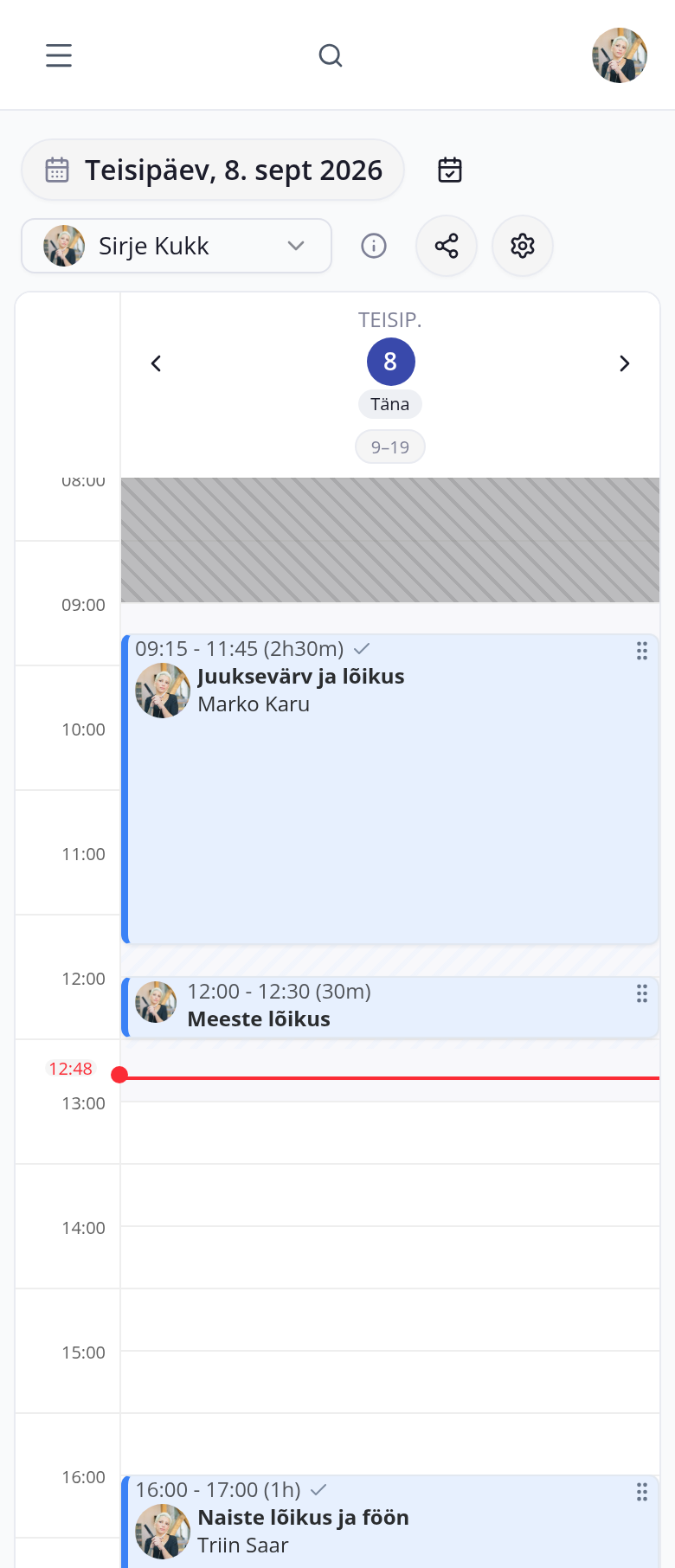
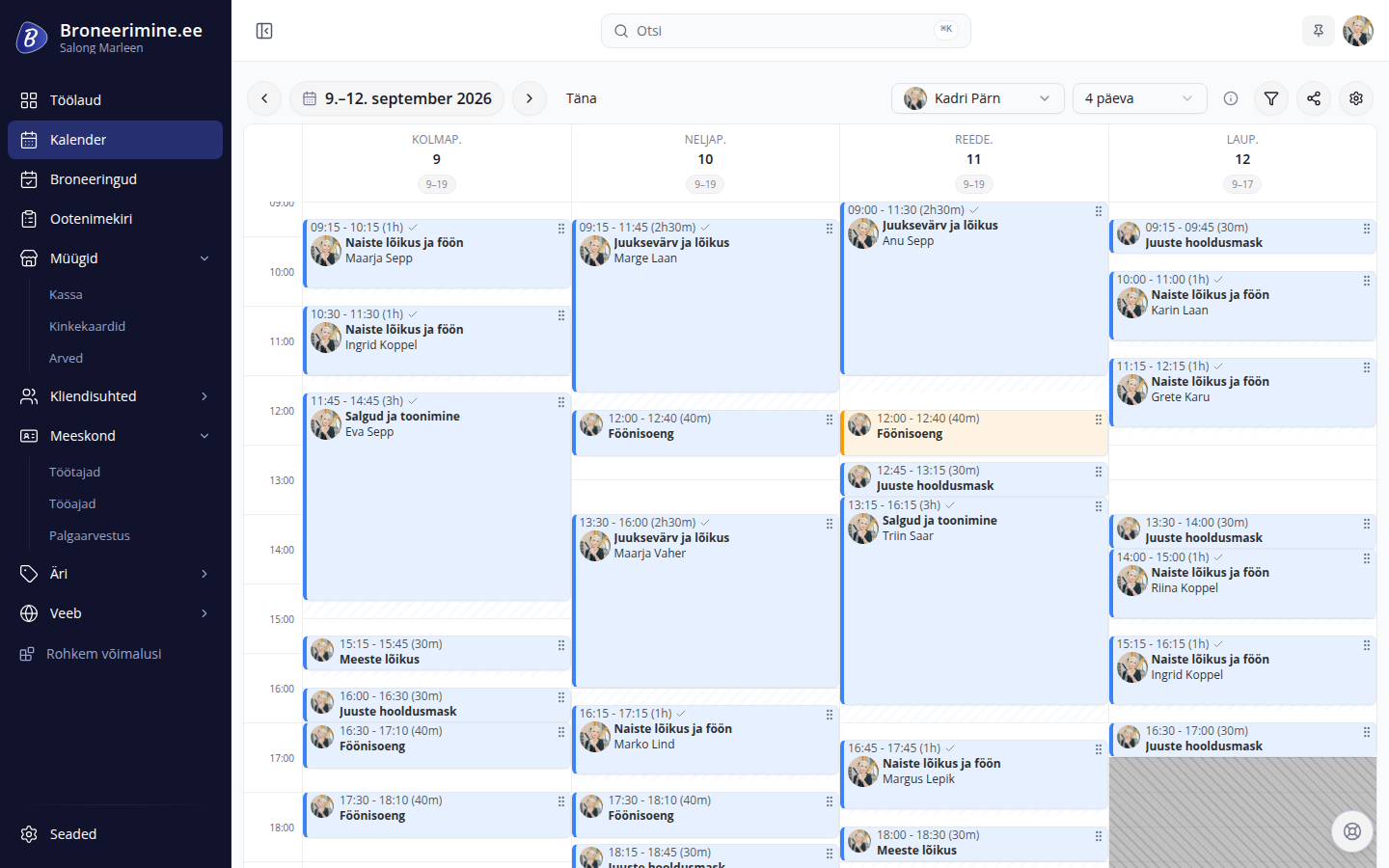
Online and phone bookings in one calendar, alongside working hours, breaks and days off.
Client contact details, past bookings and notes in one view.
Clients get an email or text reminder before their appointment.
Clients join the waitlist, receive an offer when a suitable time opens up and confirm it themselves.
Sell services and products, and issue client invoices.
View bookings and sales results for your chosen period.
Import clients and bookings, and export your data when you need it elsewhere.
Some days you want to fit in another client; other days you want to finish earlier. Optional tools help fill available slots and reduce the gaps between bookings.
A slot opens up
Client confirms
The app sends. A matching waitlisted client gets an offer for the available slot.
Client confirms. Accepting the offer adds the booking to the calendar.
If the client does not respond, the offer goes to the next matching client.
Use AI in Broneerimine.ee to answer clients and help with everyday salon work. Choose which assistants to enable for your salon.
For your clients
On the booking page, clients can ask the assistant about services, prices and available times, then arrange a visit. Once they confirm the details, the booking appears in your calendar and you can read the conversation.
Hello! Could I come in for a haircut tomorrow at 15?
Yes, Kadri Kukk is available tomorrow at 15.00. A haircut and blow-dry takes 60 min and costs 35 €.
Client confirms
Booking made
For you
In the admin app, ask the assistant about working hours, bookings and sales. It answers using your salon's data, and you can ask follow-up questions.
What were last month's sales?
Last month (August 2026), sales revenue was 7 160 € from 86 completed sales.
The app helps build staff rotas and calculates commissions using the rates you set. Spend less time planning and calculating each month, and more time running the salon.
When your salon needs a set number of people on duty, making a rota that suits everyone can be difficult. One employee is on leave, another wants a particular day off, and free weekends should be shared fairly.
The rota generator helps match these requests to the salon’s needs. Enter workloads, leave and requests, then choose from three rotas.
If you pay employees a percentage of service or product sales, enter the rates agreed with each person.
The app calculates commissions. At month-end, see each employee’s commission and the sales behind it. Review the calculation and confirm it.
Employees see only what you allow — for example, the till and clients, but not reports.
EXTRA TOOLS
Pricing
Choose how many employees clients can book. Bookings, clients and services are unlimited.
For a calendar and online booking.
Basic, 1 employee:15 €/ month
excluding VAT · 1 employee Billed yearly: 12,50 € per month — 150 € per year
Booking essentials
For sales and employee commissions too.
Full, 1 employee:29 €/ month
excluding VAT · 1 employee Billed yearly: 24,17 € per month — 290 € per year
Everything in Basic, plus
Your 30-day free trial starts with Full. Choose a plan after the trial.
Try free for 30 daysThree steps to share your booking page with clients.
Import existing clients and bookings from a spreadsheet — we can help prepare the file.
Ask for setup helpEnter your salon name and contact details. If you work solo, you are the first employee.
Set prices and durations, then check working hours. If you have a team, add employees and their services.
Review the page, publish it and share the link with clients.
Broneerimine.ee is an Estonian product. We provide support in Estonian.
info@broneerimine.eeThe trial includes Full. Afterwards, choose Basic or Full to continue.
Yes. Pricing uses bands of bookable employees: 1, 2–3, 4–5 or 6+. Basic starts at 15 € and Full at 29 € per month, excluding VAT. Every plan includes unlimited bookings, clients and services.
Download an Excel or CSV file from your previous system and import your clients, bookings and services here.
No. Your account includes a booking page. You can also add booking to an existing website.
Yes. Download clients, bookings and services as an Excel or CSV file. How we handle data